
PantryCue
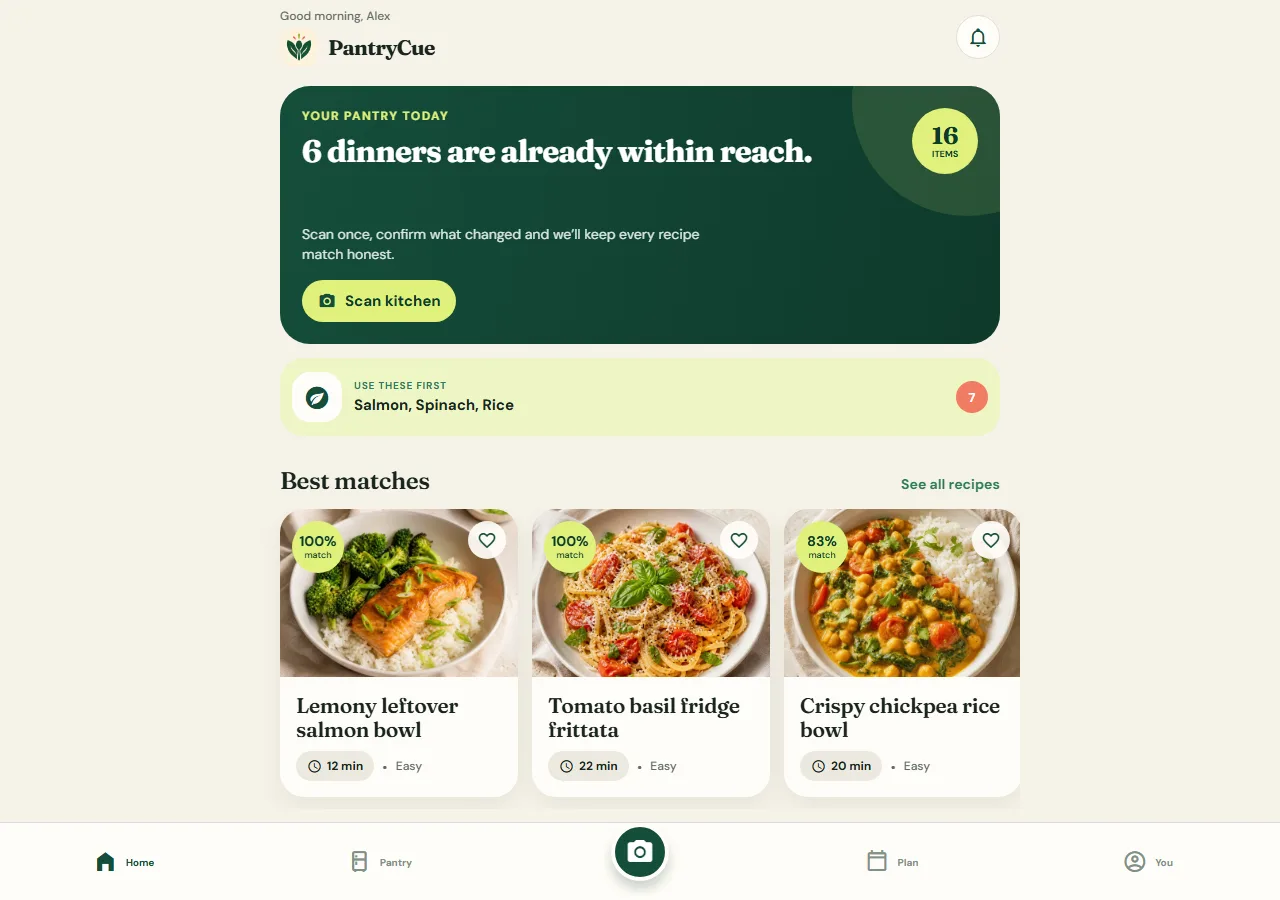
Our own cooking app, built to prove the mobile work the rest of this site describes: live camera scanning, expiry notifications, spoken cook steps and a pantry that works without a connection.
The brief
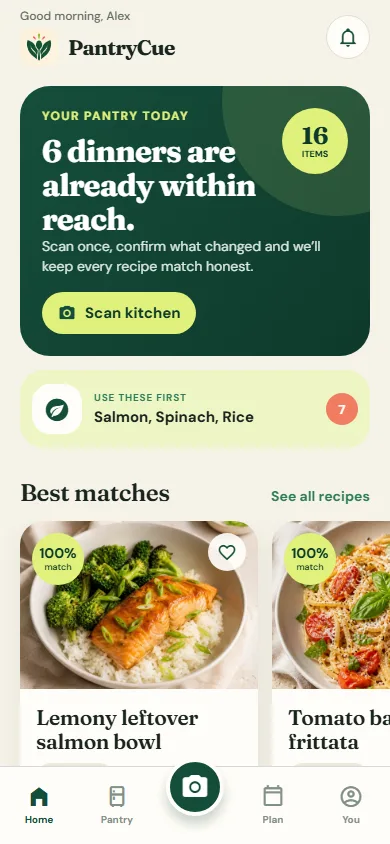
Most cooking apps ask you to type an inventory nobody maintains. PantryCue starts at the fridge door: photograph a shelf, review what was recognised, and the pantry updates itself. From there it matches recipes against what you actually have, plans meals, builds one shopping list and talks you through cooking with timers running. We built it as our reference app, which means it is also the honest answer to what our mobile work looks like.
What we shipped
Built by Perfect Design as an internal product
Built for: Home cooks who want to use what they already have
Inside the build
Every part, and what it does
A closer look at what was actually built — screen by screen, so you can judge the depth for yourself.
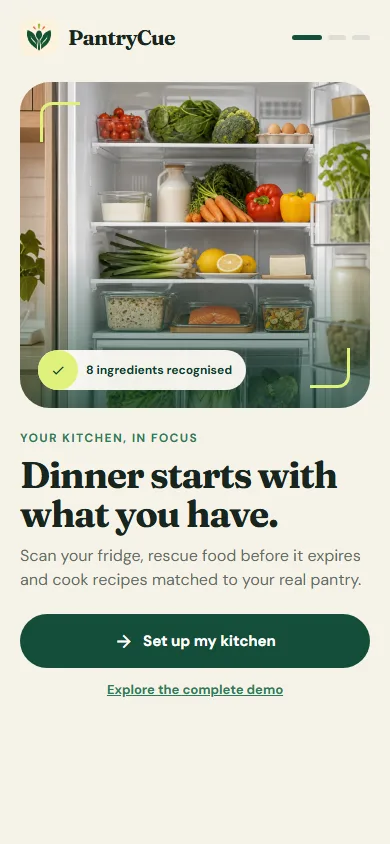
Three-step onboarding, then straight to a working pantry
Guest-first: the app is useful before anyone creates an account, which is the difference between a trial and a download people keep.
- Guest use with no account required
- Account and sync as an optional upgrade
- Preferences and notification controls from the start
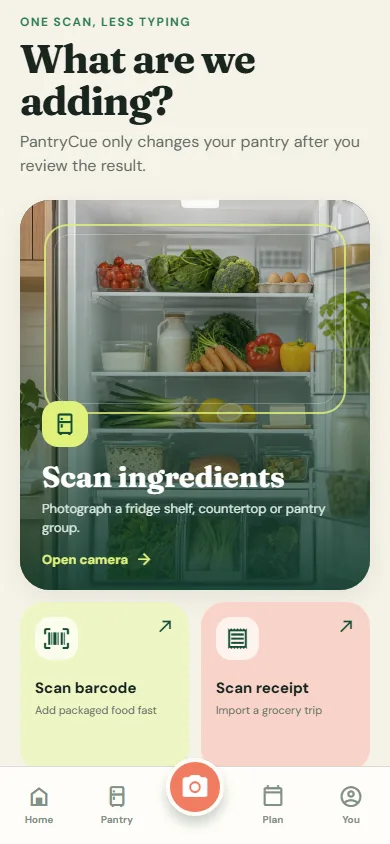
Scan a shelf instead of typing an inventory
Live camera for ingredients, barcode for packaged items and receipt capture for a whole shop. Every result goes through a review screen before anything is saved.
- Live camera with a permission rationale before the prompt
- Barcode and receipt paths for speed
- Editable recognition results, so a wrong guess never becomes bad data
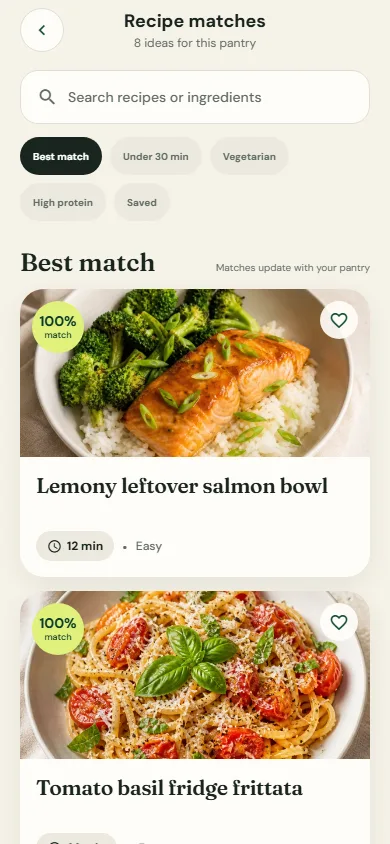
Recipes matched against what is actually in the kitchen
Search and filters score recipes by how much of one you already have, so the list reorders as the pantry changes.
- Dynamic pantry-match scoring
- Saved collections and meal planning
- Missing items hand off to one grocery list
A pantry that survives a bad signal
Items, quantities and expiry dates are held on the device, so the app opens and works in a kitchen with no reception.
- Local persistence with a typed production API boundary
- Native date selection for expiry
- Scheduled local notifications before food expires
Click through it yourself
Every screen above is interactive. No sign-up, nothing to install.
Core systems
What this build is made of
These are systems we build repeatedly — each links to every other project that contains it, so you can compare implementations before deciding what you need.
Unique to this build
Built specifically for this project rather than assembled from the shelf.
Camera recognition with review
Live camera, barcode and receipt capture, with an editable review step so the pantry only changes after a person confirms it.
Cook Mode
Screen stays awake, steps are read aloud, and several timers run at once without leaving the recipe.
Expiry reminders
Local notifications scheduled per item so food gets used before it is thrown away.


Want a build like this for your business?
Tell us what you have in mind and we'll put together a functional prototype of your project — free.